
Newsrooms and broadcast operations
News does not wait for the archive
Rushes, live signals, and finished programs land in the same searchable library. Open Studio on the asset, jump a face or a phrase, cut the bite, and send a governed share the same day.
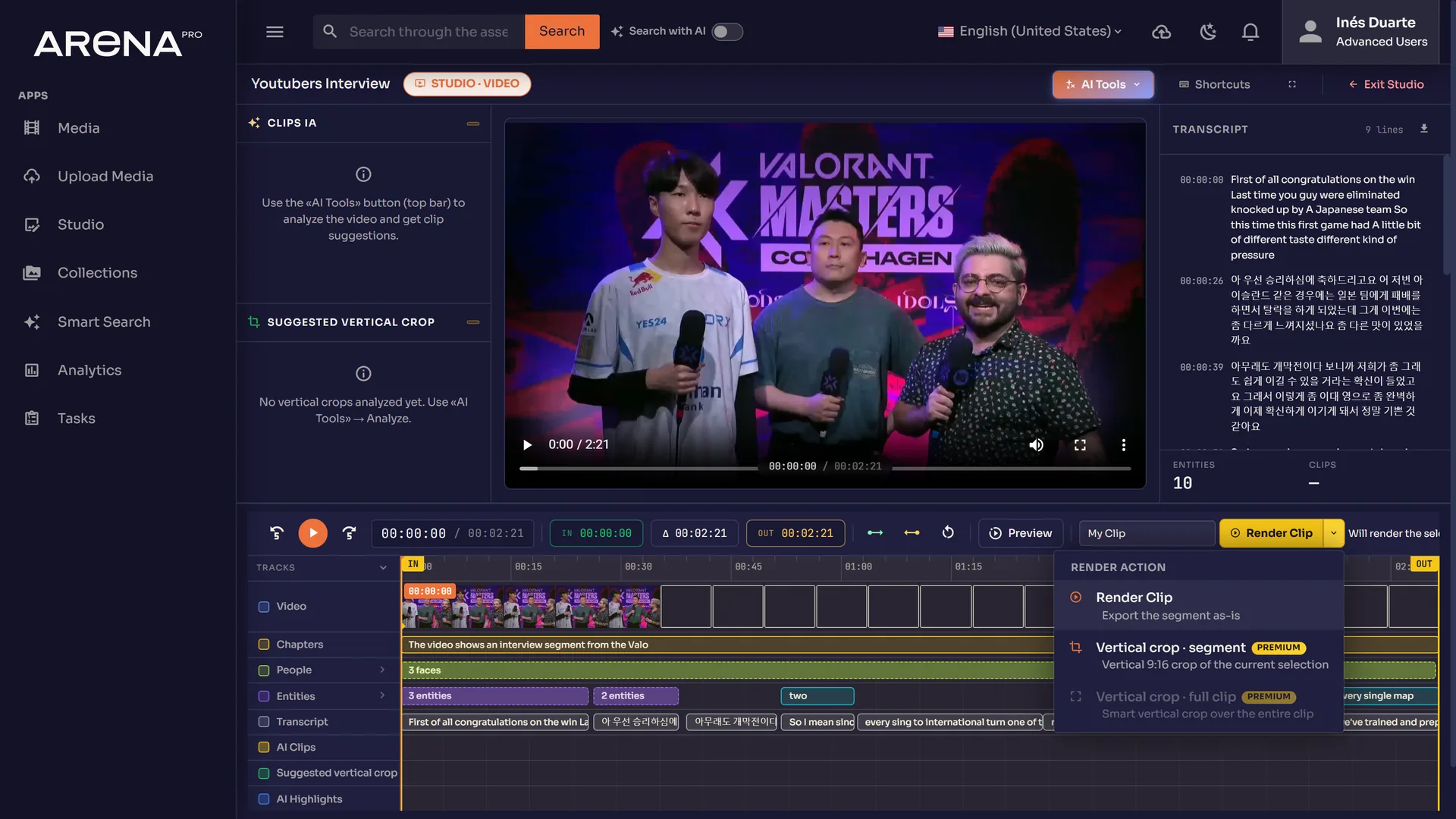
From the workspace
Studio on a recorded asset — clips, transcript, and tracks you can jump.
Suggest clips marks highlights. Analyze segment proposes a 9:16 cut from the horizontal file. Render exports the segment or a vertical crop. People stay on the approval.
What the desk sees in Studio
Suggest clips
Detects highlights and marks suggested clips on the timeline so the first cut is a starting point, not a blank sequence.
Analyze segment
Reads the current selection and proposes a vertical crop from horizontal video. Review it before anyone publishes.
Render clip
Export the segment as-is, a 9:16 crop of the selection, or a smart vertical crop over the full clip.
Three priority workflows
01
Live into the archive
Record the incoming HLS or SRT signal so the desk is not managing a separate live chain. Each chunk is a normal searchable asset.
Open02
Find the bite
Face, OCR, and transcript tracks sit on interviews and panel shows. People lanes expand when more than one recognized person is on screen.
Open03
Same-day delivery
Clip in Studio, send a public review link, publish when the desk signs off. Evidenced destinations today: YouTube and FastoCloud.
Open
Bring one rush or one live feed. We will open it in Studio.
Talk To Us