
Find any moment with natural-language search
People remember a guest, a phrase, or a graphic — not a filename. Arena Pro searches the understanding of the file.
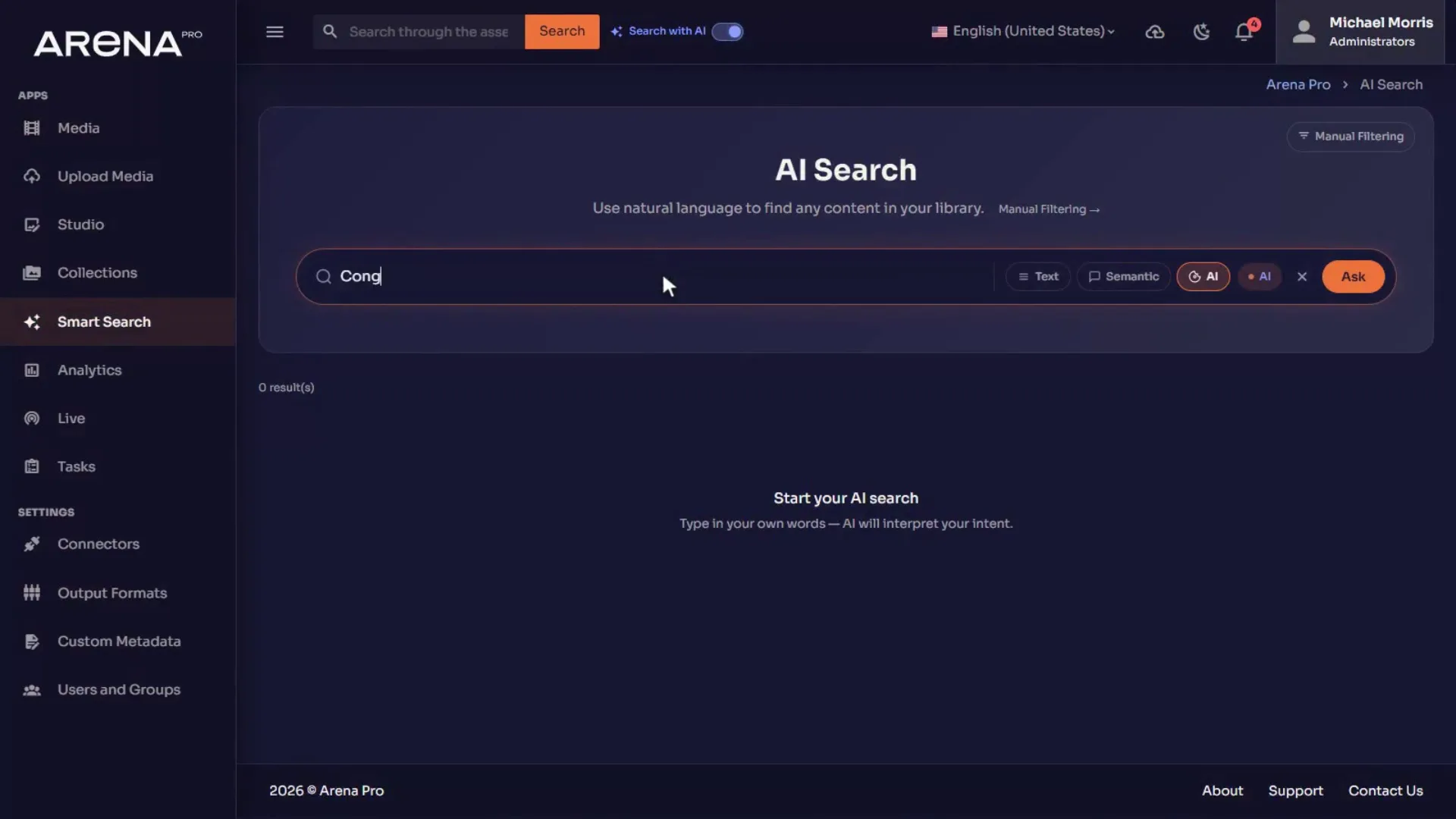
The problem
Filename search assumes the person who stored the file is the person who must find it. In a video archive that is rarely true. The request is usually a person, a phrase, or a graphic.
How Arena Pro solves it
Natural-language and semantic search run across assets. AI-generated metadata is attached on ingest. Results can point at a file or at a moment.
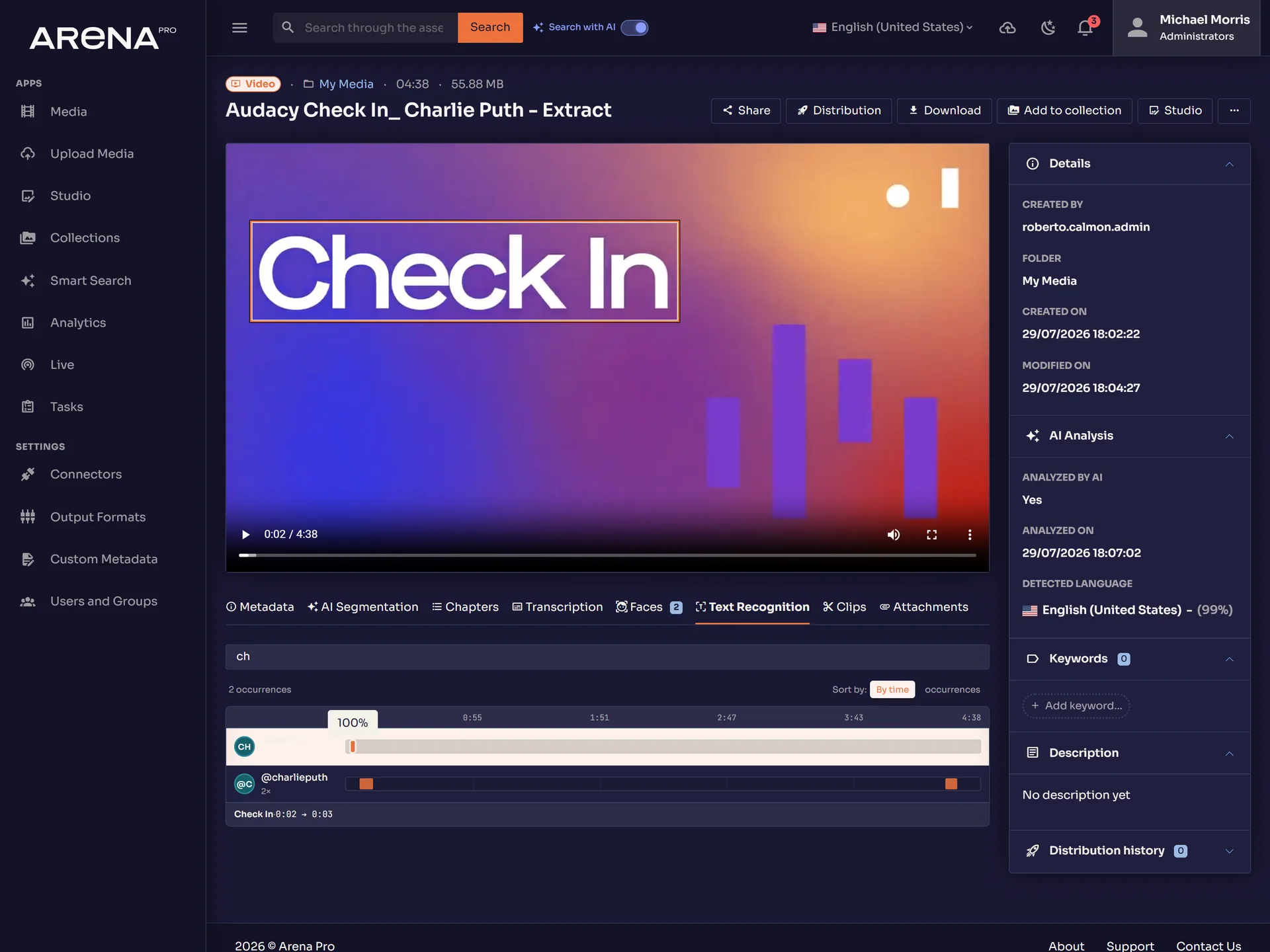
- 00:12:04
Face
Juan Massana
Recognized face, 15s appearance
- 00:11:58
OCR
BANCO Mediolanum
On-screen text, frame-level timecode
- 00:12:11
Transcript
“…the archive that's always ready”
Synchronized speech
- Ingest the file or live chunk.
- Wait for analysis — or keep working and use the in-app notification when it finishes.
- Ask for the person, phrase, or on-screen text you remember.
- Open the inspector or Studio at the timecode.
- Clip, share, or publish from that point.
AI Search
Search that understands the content
AI Search
Use natural language to find any content in your library.
Arena Pro · AI Search
Manual Filtering →
Describe what you need in plain language. Transcriptions, faces and recognized text are all searchable — not just filenames.
Ask for what you remember
Natural-language and semantic search return the asset or the moment, not a folder path.
Every appearance of a person
Face recognition marks who is on screen so you do not scrub an hour to confirm a guest.
Text that appeared on screen
Video OCR stores on-screen words with frame-level timecodes — lower thirds, scores, signs.
From long-form to suggested clips
AI-assisted smart clip suggestions give editors a starting cut, not a blank timeline.
Landscape to vertical
Subject-aware crop produces 1080×1920 deliverables inside Studio.
Images without a side tool
Background removal, auto-description, and keyword suggestions stay on the asset.
How it works
Analysis runs as jobs on ingest or on demand. Results attach to the asset as metadata and timeline tracks. People remain in control: permissions, review states, and human edits sit on top of machine output. Vendor and model names are not published here unless product marketing approves them.
Bring one workflow. We will open it in the product.
Talk To Us