
Smart clipping and Studio
From long-form footage to a finished cut
Built for hour-long material. The AI proposes the cut and the vertical reframe. A person decides what ships.
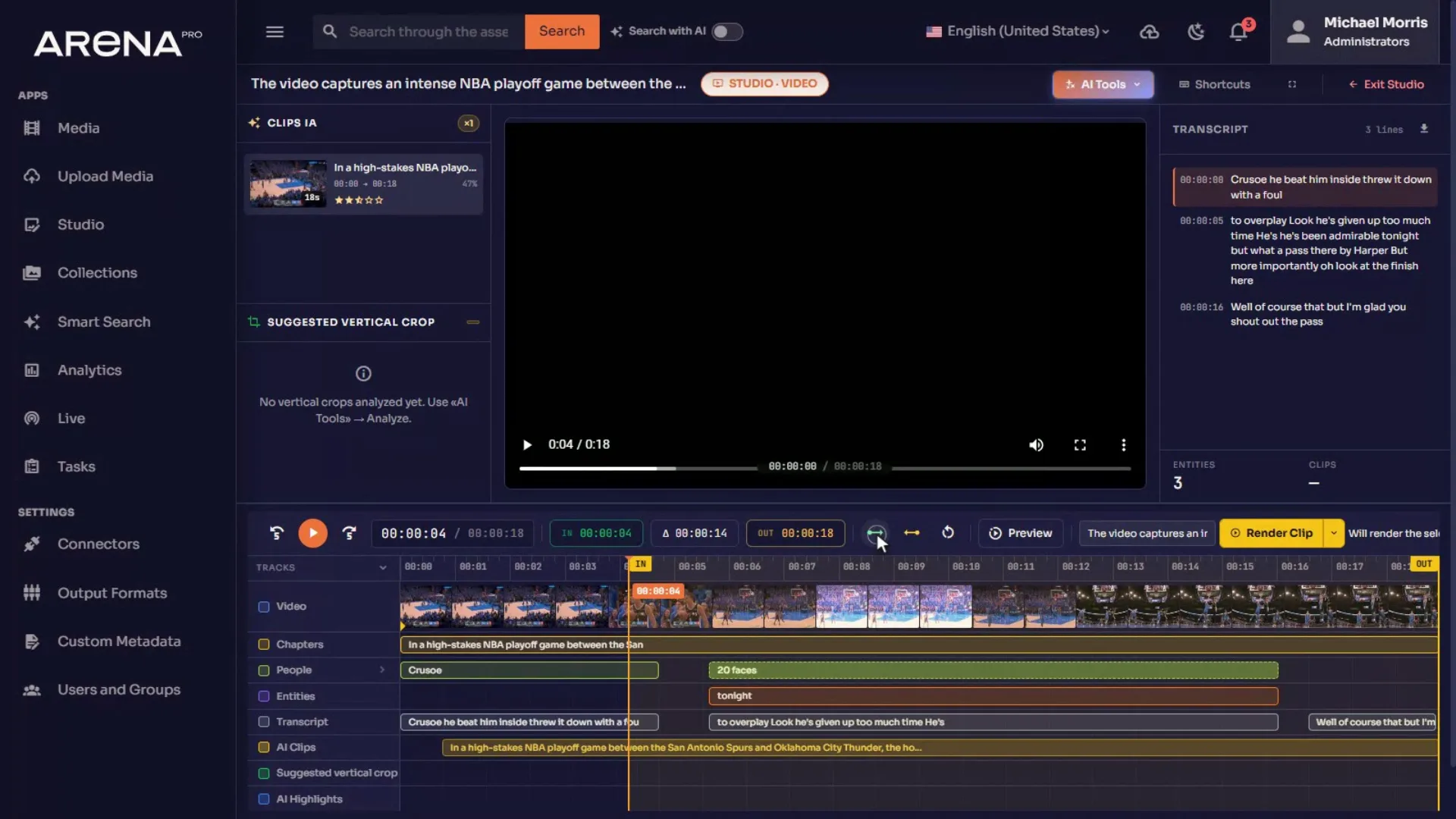
Seven tracks, one timeline
The people track splits into one lane per person when several recognised faces are on screen at once, so panel and interview footage stays readable instead of collapsing into overlapping markers.
- Video
- Chapters
- People
- Entities
- Transcript
- AI Clips
- Suggested vertical crop
What the AI proposes
Suggest clips
Detects highlights and marks candidate clips on the timeline, each with its own duration and rating.
Analyze segment
Reads the current selection and proposes a crop path that follows the action, drawn as a track and a canvas overlay.
AI Crop
Renders the reframe to 1080×1920, subject-aware, with no manual keyframing and nothing to export elsewhere.
Three ways out
The render menu offers exactly these. Nothing leaves Studio by accident.
01
Render clip
Export the selected segment as it is.
02
Vertical crop · segment
A 9:16 crop of the current selection.
03
Vertical crop · full clip
Smart vertical crop across the whole clip.
Scrubbing an hour-long recording is instant.
Keyframes and the scrubbing storyboard are built on the server the moment a file arrives, in the same pipeline that makes proxies. The browser never decodes video to draw a timeline — which is why long-form stopped being the thing Studio could not do. Libraries ingested before this shipped are covered by a backfill.
The AI proposes. A person approves. Nothing publishes itself.
Talk To Us